






| Online keyboard Games | ||||
|---|---|---|---|---|
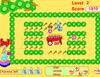 Rabbit Eat Radish Game Rabbit Eat Radish Game  Plays: 7035 Category: Action Help Sunny Starz? munch her way through the maze! Use the direction keys on your keyboard to help Sunny Starz? crunch carrots! · Earn points for every carrot Sunny Starz crunches · Crunch on a stinky Onion and you lose a chance · The game is over when you lose 3 chances |  Plane World 2 Game Plane World 2 GamePlays: 6884 Category: Shooting Perfect missions and aircraft types, special skills, system of rewards, training, career development, duel of two players on one keyboard and a lot of battles together in a multi-language game (Russian, English) - Plane World 2. | |||
 Jumping Man Game Jumping Man GamePlays: 6867 Category: Action Jump for your life, as the blocks you’re standing on gets higher or falls into the water. Collect gems to earn extra points, so you can beat your friends highscore! | 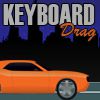 Keyboard Drag Game Keyboard Drag GamePlays: 6850 Category: Driving Keyboard drag is 402 car racing game. Keys are falling and you need to press corresponding key on your keyboard to gain speed. | |||
 Chase Goose 2 Game Chase Goose 2 GamePlays: 6848 Category: Action Run away from the monster, don't look back and hope to god you find the right keys on your keyboard. |  Run 2 Game Run 2 GamePlays: 6846 Category: Adventure A game about running, jumping, ignoring certain laws of physics, and trying on roller skates. | |||
 Fireball Typer Game Fireball Typer GamePlays: 6799 Category: Action The fireball guy hates letters. Type them before he reaches them. Avoid typing letters he's touched. Gold letters give you bonuses and extra tries. |  MonKeyboard Game MonKeyboard GamePlays: 6647 Category: Adventure Fun typing game with a lot of upgrades and challenges. | |||
 Ninja Sequence Game Ninja Sequence GamePlays: 6586 Category: Puzzles Ninja Sequence is the 2D Puzzle Platformer where you have to predefine the direction in which the ninja will move in order to avoid obstacles, collect the dragon rings and complete each level. |  JABBO Ultimatum Game JABBO Ultimatum GamePlays: 6563 Category: Action JABBO™ is a fun and engaging music-based game that uses your webcam to detect movement. Now you can thump to the beat of catchy tunes with a webcam-enabled computer in the privacy of your own home. JABBO Ultimatum also can be played with a keyboard! | |||
 Roosevelt Rush Game Roosevelt Rush GamePlays: 6517 Category: Action Did you know that Franklin Roosevelt was the most EXTREME of all American presidents? He basically invented the X-Games! Relive this completely fictional story with keyboard smashing, rotoscope animation using, extremely limited gameplay experience! Celebrate President's Day... TO THE EXTREME MOUNTAIN DEW MONSTER ENERGY DRINK! | 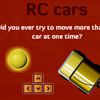 RC Cars Game RC Cars GamePlays: 6514 Category: Action Collect as many dots as possible while moving cars. The thing is that you must drive more and more cars with just one keyboard on the next levels and collect dots in the color of the car. | |||
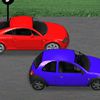 Key racer Game Key racer GamePlays: 6464 Category: Puzzles Race the computer to end of the track. Press the keys that fall in the green and orange squares to speed you up and slow down the computer. Don’t press the keys with the red squares or they’ll slow you down and lower your points. |  Neverending Pong Game Neverending Pong GamePlays: 6410 Category: Action Neverending Pong brings back all the emotions of old arcade videogames. Everybody can play this game, but who will be the World Champion? Features: single and multiplayer (same keyboard) games, many characters and game field to choose! | |||
 Typo-Negative Game Typo-Negative GamePlays: 6407 Category: Action Protect the city by destroying the words that are eternally falling from the sky. Compete for high score! | 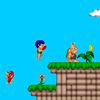 Bip the Caveboy Game Bip the Caveboy GamePlays: 6400 Category: Action A retro mario-style platform game following Bip a young caveboy set in prehistoric time. Collect coins, kill enemies, find hidden passages and explore the levels. | |||
 Finger Frenzy World Game Finger Frenzy World GamePlays: 6364 Category: Action How fast can YOU type the alphabet? | 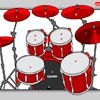 tambores Game tambores GamePlays: 6363 Category: Rhythm Play drums with your keyboard or mouse. | |||
 Flying Horse Game Flying Horse GamePlays: 6359 Category: Driving This is a wonderful game especially for small children. You will fly in three levels: in daylight, sunset and after midnight, and your object is to collect points through the mystical land. Have fun collecting different colors of balloons and flying over beautiful and colorful landscape. You begin the game with three lives, and when gather 500 points you get new life. Stay away from birds, the airplane and the big balloon or you will lose points and life. For control use keyboard arrows and have a lot of fun. | 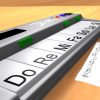 ASD Piano Master Composer Game ASD Piano Master Composer GamePlays: 6328 Category: Education ESPAÑOL ABAJO ============= The ASD Piano is a device made by I2 Interactive and sold widely everywhere. Here you can have fun playing with it. It has 7 keys that correspond to the 7 notes and you can play them by pressing the corresponding keys on your Keyboard A-S-D-F-G-H-J In this game you have 3 modes to have your fun time with the ASD Piano TM. Free Mode: Here you can play as you like, pressing the keys as you wish, click the Back button to go to tittle screen. Memory: You will hear a short melody and then you have to play it again, many short melodies will pop and after succesfully playing them you can submit your score to the Hi-Score table. Composer: You can compose your own original pieces!! and share with your friends, show the world the talent you have!! In the composer screen press the "REC" button to start making your composition, play the keys that you wish and feel the best, you can play several keys at the same time and get awesome results. When you feel its finished hit the "STOP" button to finish the recording, You can adjust your piece speed altering the value given at the bottom left and also you can add a background loop to acompany it selecting from the available tunes from 1 to 6. You can hear your original piece clicking the "PLAY" button, click "STOP" to halt it at any point, with the playhead stopped you can click on any part of your pentagram, the playhead will go there, and playing any keys there will modify that part, you can click on "ERASE PART" to delete the notes on that part. If you click "ERASE ALL" the whole piece will be deleted so be careful, also clicking "Back" will delete the piece so save first. To save it you have to click the "SAVE" button and then, there is a white square at the bottom, right click on it and on the menu click "Select all" then right click again and on the menu click on "Copy" then open your Windows Notepad, go to START then ALL PROGRAMS and then ACCESORIES, then click on Notepad and there select Edit menu and Paste, then click on File and Save to save it anywhere you like. To load your piece or your friends compositions first of all select the whole composition that you have received (starts and ends with a number), then right click on it and select Copy, then in the ASD Piano, once in the Composer mode right click on the white square at the bottom and select Paste then click on the "LOAD" button and now you can click on "PLAY" to listen to it, or you can edit that to add your own modifications. You can also click on the premade songs to load them, doing that will load the entire song so be sure to save your work first, see what our talented team has made and learn from there. ESPAÑOL ======= El ASD Piano es un dispositivo creado por I2 Interactive y vendido ampliamente por todo el mundo. Aqui puedes divertirte jugando con el. Tiene 7 teclas que se corresponden con las 7 notas y puedes tocarlas presionando la tecla correspondiente en tu teclado A-S-D-F-G-H-J En este juego tiene 3 modos para pasar un buen rato con el ASD Piano TM. Free Mode: Aqui puedes jugar como quieras, presionando las teclas como desees. Haz click en el boton Back para regresar a la pantalla de titulo. Memory: Oiras una corta melodia y despues deberas tocarla de nuevo, muchas cortas melodias iran apareciendo y una vez que las toques correctamente puedes enviar tus puntos a la tabla de Hi-Score Composer: Puedes componer tus propias piezas originales!! y compartirlas con tus amigos, muestra al mundo el talento que tienes!! En la pantalla del Composer presiona el boton "REC" para empezar a crear tu composicion, toca las teclas como prefieras y sientas de la mejor manera, puedes tocar varias notas a la vez y conseguir increibles resultados. Cuando sientas que esta terminada dale al boton de "STOP" para detener la grabacion. Puedes ajustar la velocidad de la pieza variando el valor dado abajo a la izquierda y tambien puedes añadir una musica de fondo como acompañamiento seleccionandola de la lista de Tunes disponibles de 1 a 6. Puedes tu pieza original dandole a "PLAY", haz click en "STOP" para detenerla en cualquier punto, con la cabeza lectora (flecha verde) parada puedes hacer click en cualquier parte del pentagrama, la cabeza lectora ira alli, tocando cualquier nota ahi modificara esa parte, puedes hacer click en "ERASE PART" para borrar solo esa parte. Si haces click en "ERASE ALL" se borrara toda la composicion asi que ten cuidado, tambien haciendo click en "Back" se borrara toda la composicion asi que salva antes de salir. Para salvar tu composicion debes hacer click en "SAVE" y luego, en un cuadro blanco situado abajo, haz click con el boton derecho del raton, y en el menu que sale haz click en "Seleccionar todo" luego haz click de nuevo con el boton derecho y selecciona "Copiar" ahora abre tu Bloc de Notas de Windows, ve a "Inicio", luego en "Todos los programas" y despues en "Accesorios", luego haz click en "Bloc de Notas", una vez que se abra, en el menu "Edicion" selecciona "Pegar", luego haz click en "Archivo" y "Guardar" para guardarlo donde quieras. Para cargar tu pieza o la de tus amigos primero de todo selecciona toda la composicion que tu has recivido (comienza y termina con un numero), luego haz click con el boton derecho en ella y elige "Copiar", luego en el ASD Piano, una vez que estes en el modo Composer, haz click con el boton derecho en el cuadro blanco de abajo y elige "Pegar" luego haz click en el boton "LOAD" y ya puedes hacer click en "PLAY" para escucharla o puedes editarla para añadir tus modificaciones. Puedes tambien hacer click en las canciones prefabricadas "Premade" para cargar una de las 5 melodias disponibles, haciendo esto cargara la cancion entera asi que asegurate de salvar tu composicion antes, mira lo que nuestro talentoso equipo ha hecho y aprende a la vez. | |||
<<< Previous First 1 2 3 4 5 6 7 8 9 10 Last Next >>>

|