







| Online button Games | ||||
|---|---|---|---|---|
 Flying Witch Game Flying Witch Game  Plays: 1997 Category: Action This is a flight shooting game. Player need control witch to kill all the enemies, This game can shoot automaticly ,player can use mouse to control,when clicking left mouse button player can use special weapon to eliminate enemy's bullet. |  Little Mess Game Little Mess GamePlays: 1996 Category: Puzzles Be patient and sober when you face the mess! In this game, your task is to rearrange the dots so that the lines no longer overlap. When the game starts, you will be multiple dots which form a circle. Each of the dots holds multiple lines, making the lines overlap. To clear the mess, click and drag a dot so that the lines held by it are moved, then click again to fix the dot when you are satisfied with its position. Continue the process until the lines are no longer overlapping. If you are not satisfied with the current progress, you may click the Reset button at the top of the screen to start again, or click the New button at the top left corner to get a new puzzle. The time you have spent will be recorded, so charge into the chaos and battle your way through! | |||
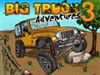 Big Truck Adventures 3 Game Big Truck Adventures 3 GamePlays: 1991 Category: Driving Big Truck Adventures 3 is a Physics based Truck Driving Game. In this game, you have to drive an off-road jeep. You goal is to get to the checkpoint as fast as possible while going through challenging terrains, collecting gold crosses and performing big aerial stunts. Press the SHIFT button to use your nitro gas and go super fast and make even bigger jumps. |  Naval Gun Game Naval Gun GamePlays: 1989 Category: Shooting Commander of a naval fleet, you find yourself under attack! Many of your officers have been wounded, and it's up to you to fend off the invasion. With a First Person perspective, you're given the task to shoot down any incoming planes, missiles and any other foreign object sent to destroy you. Simple controls make this game easier to dive into! | |||
 Fun Kids Sliding Puzzle Game Fun Kids Sliding Puzzle GamePlays: 1988 Category: Puzzles Compete with your friends in this sliding puzzle challenge that will test your puzzle solving abilities to the max. Fun Kids Sliding Puzzle is a collection of three progressive difficulty sliding puzzles starting with 3x3, then 4x4 and last 5x5 puzzle pieces. To make the puzzles more challenging the time and moves that you will need to solve them is counted and subtracted from your score. To finish the puzzles and to get higher score you need to solve them with as little moves possible in shortest time and to click the glowing piece to get bonus points. |  Domino Draw Game Domino Draw GamePlays: 1987 Category: Strategy I've bet you've always wondered how much time and effort it takes to build those awesome domino patterns. And of course how many domino pieces would it take. For all those enthusiasts out there, Domino Draw is here. Create intricate domino patterns, play around and knock them over when you're done to see the masterpiece you've created. | |||
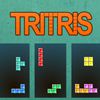 Tritris Game Tritris GamePlays: 1986 Category: Action This is perhaps one of the most challenging versions of tetris you've ever played, as you have to control three falling blocks simultaneously! Same as the original tetris, your goal in this game is to move and rotate the descending blocks so that they can form a complete row and be destroyed. Before the game starts, you are allowed to set the starting level and the number of game piles. Choose a level between 1 to 20 and the number of game piles from 1 to 3 by clicking the up and down arrow buttons shown on the right of the screen. After you have completed the settings, click the Start button at the bottom to begin the game. Then you will be given your chosen number of piles, and a block will move downward in each of the piles. To move of the blocks, you may use the left, right and down arrow keys on your keyboard. Press X to rotate the block in clockwise direction, or press Z for counterclockwise rotation. If you have more than one pile, you may press Spacebar to move to another pile and control the blocks. The next block will be shown at the top of the piles, so take notice of these hints for better arrangement. When the blocks form a complete row, they will be removed from the pile. If the blocks reach the top of a pile and no more blocks can be destroyed, the game ends. Showcase your brilliant performance of Tritris to impress your friends! |  Fjong Game Fjong GamePlays: 1979 Category: Action The worlds cutest physics game! Featuring 3 characters, 20 levels and 80 stars to collect! Intuitive one button mouse controls, a lush and beautiful world, and of course.. loads of candy (!) | |||
 PoP-Em-Up Game PoP-Em-Up GamePlays: 1978 Category: Adventure Pop-em-up is a simple mouse playing game designed for kids, enjoy the smooth music and pop all the buttons as fast as you can. | 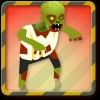 Zombie Getaway Game Zombie Getaway GamePlays: 1978 Category: Action Run for your life! Avoid zombie attacks and jump over obstacles. Collect food as you run and use it to upgrade your abilities to become faster and stronger. Feeling brave? Barge into zombies to knock them down. Watch out: higher levels mean more zombies! | |||
 Arrows Game Arrows GamePlays: 1975 Category: Puzzles Play with the arrows and see if you are among the brightest league of mathematicians! In this game, your task is to swap two sets of color arrows so that their positions are exchanged. When the game opens, you will be given a rectangle containing 8 arrow tiles, with 4 purple tiles on the left and 4 yellow tiles on the right, plus an empty space that separates the two sets of arrows in the middle. To swap the positions of the arrows, you may click a tile so that it moves to the empty space located in the direction that the arrow is pointing to, or jump over a tile of the opposite color and move to a blank. Once moved to the front, the arrows cannot move backward, for example, a purple arrow which is pointing to the right cannot be moved to the left after it has moved one step to the right. If no more moves can be made, you may click the Reset button under the puzzle to start again. Take notice of your score at the top of the screen and act quickly before it counts down to zero! |  Dwarf Diff Spot The Difference Game Dwarf Diff Spot The Difference GamePlays: 1967 Category: Puzzles Identify the differences and click it to confirm. You get 100 points for every correct click and lose 50 points for every wrong click. At the end of the five wrong click the game gets over. Click on MUTE button to mute the sound | |||
 Mom And Baby Game Mom And Baby GamePlays: 1967 Category: Dress-Up Mother and Baby Dress Up game, put one of his mother with cute little baby. Play begins by clicking on the first letter You put the mother. Baby doll to dress by clicking the button at the lower right immediately after completing the game and then we click on Done You complete the entry. Good luck. | 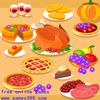 Happy Thanksgiving 1.1 Game Happy Thanksgiving 1.1 GamePlays: 1966 Category: BoardGame Use the left mouse button to swap tiles. Move tiles into matched of 3 or more in a line horizontally or vertically. complete the jigsaw puzzle by freeing the pieces throught the bottom. The clock shows how much time you have left to complete this game. The Bombs, the lightning and the hourglass will help you. | |||
 ASCIIvader III Game ASCIIvader III GamePlays: 1965 Category: Action Squareface finally has a chance to fight back in this hectic bullet-crazy ASCII-art arcade game! Upgrade your weapons, speed, life and firing rate to take on thousands of enemies across nine levels. There's also a single-button survival mode where you have to dodge enemies as long as you can! |  Electro String Game Electro String GamePlays: 1963 Category: BoardGame Click on the green button and guide the electo-string using mouse upto the red spot!! | |||
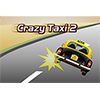 Wild Car Game Wild Car GamePlays: 1955 Category: Driving Try to use arrow button control taxi jump left or right, if there's a car head of you try press space bar to jump over it . |  Happy Thanksgiving 1.0 Game Happy Thanksgiving 1.0 GamePlays: 1954 Category: Action Use the left mouse button to swap tiles. Move tiles into matched of 3 or more in a line horizontally or vertically. complete the jigsaw puzzle by freeing the pieces throught the bottom. The clock shows how much time you have left to complete this game. The Bombs, the lightning and the hourglass will help you. This game is played with mouse only. | |||
 Ivan In The Gnomes Cave Game Ivan In The Gnomes Cave GamePlays: 1946 Category: Action Ivan likes to travel very much! Especially in search of treasures! Today's travel brought him into the gnomes cave, full of gold coins... but it's not easy to get treasures of gnomes! Catch as much as possible gnome`s coins, controlling Ivan. For each caught coin You earn one point. For the lost coin - one penal point increases. Don't catch rocks! For each caught rock one penal point increases too. You can`t catch coins (and rocks) from top boards, when Ivan`s bucket is in bottom position. Penal points burn down through each 100 points. Game comes to the end, if 10 penal points are typed. Score is added if the game is over, or if you finish the game (turn button "STOP" on screen or key "ENTER"). | 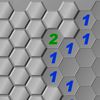 Hex Mines Game Hex Mines GamePlays: 1943 Category: Puzzles Can you sweep the mines away without detonating any of them? In this minesweeper game with hexagonal tiles, your goal is to reveal the tiles and find out the 10 mines underneath. The game opens with multiple covered tiles in hexagonal shape, and you may click any of the tiles to reveal it. If you have revealed a mine, the game ends, and you may click the Restart button at the top of the screen to play again. If the revealed tile does not contain a mine, a number will appear on the tile, indicating the total number of mines in the adjacent tiles. If an area does not contain any mines, the tile will be blank and the whole area will be revealed. You may then use the information to deduce the locations of the 10 mines. If a tile contains a mine according to your guess, you may press Shift on your keyboard and click the mouse simultaneously to flag the tile. Simply repeat this step if you would like to remove a flag. You win the game when all mines are found. Note that when you make your very first move, the scoreboard at the top left corner will start to count down, and when it reaches zero, you can receive no points even the task is completed. Act swiftly to win the trophy! | |||
<<< Previous First 47 48 49 50 51 52 53 54 55 56 57 Last Next >>>

|