





| Online original Games | ||||
|---|---|---|---|---|
 Wizard Walls Game Wizard Walls Game  Plays: 3888 Category: Action Arcade defense game featuring original gameplay. Save sheep, cover the engineer and caravans, protect the balloon and keep vicious trolls and goblins away from your soldiers. | 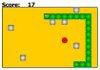 Rock Snake Game Rock Snake GamePlays: 3849 Category: Puzzles This is my first game and my first attempt to use MochiAds. I've modified a Snake game tutorial to make this game harder than original and too funny. Rock Snake is a snake game where sometimes a great rock appear to make things harder to gamer. | |||
 Rigoberto, The Yak Game Rigoberto, The Yak GamePlays: 3831 Category: Adventure Ok this project took us two weeks. The original story and idea is made by Facundo Balboa (MonoFlauta in Newgrounds) he also is the programmer, the artist Is Huw Millward (Neverzonegaming in Newgroudns) and voices by Fro (Newgrounds account). This story is about a yak called Rigoberto that travels to find something… it’s a difficult game, but not an impossible one. | 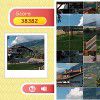 Row Puzzle - Alp Game Row Puzzle - Alp GamePlays: 3831 Category: Puzzles Row Puzzle is a new game by Flash Games. Use your mouse to drag the columns or rows of tiles to get back the original picture. | |||
 Mega Memory (Original) Game Mega Memory (Original) GamePlays: 3826 Category: Puzzles The normal memory game, on steroids! How far can you get in this hyper version of the original memory game? |  Draw It 2 Game Draw It 2 GamePlays: 3825 Category: Other A simple drawing game to add onto the original draw it | |||
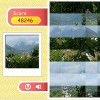 Row Puzzle - Valley Game Row Puzzle - Valley GamePlays: 3825 Category: Puzzles Row Puzzle is a new game by Flash Games. Use your mouse to drag the columns or rows of tiles to get back the original picture. |  I Remain Game I Remain GamePlays: 3822 Category: Action Desolation. Isolation. Survival. One of the last survivors on earth must use his wits to escape the abandoned farmhouse. Explore the house, use the items and the clues to decipher a mystery, to escape, and to remain one of the living. i remain. A visually stunning and original point and click, survival horror game from the mad minds at Atomic Cicada. | |||
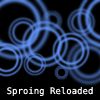 Sproing Reloaded Game Sproing Reloaded GamePlays: 3821 Category: Action 30 new levels of orb smashing fun! Swing your sproingy blue orb into the hollow target orbs while avoiding nasty solid orbs. Based on the popular original, Sproing Reloaded features new upgrade and award systems, plus an unlockable game mode. | 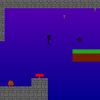 Stickman's Adventure Game Stickman's Adventure GamePlays: 3813 Category: Action Classic platformer featuring 3 zones (worlds), 4 bosses, original soundtrack. | |||
 Target Shooter 2 Game Target Shooter 2 GamePlays: 3782 Category: Action Target Shooter sequel based on the original Target Shooter engine!! New Level Mode added as well as classic target shooter mode!! |  ASD Piano Maestro Compositor Game ASD Piano Maestro Compositor GamePlays: 3755 Category: Education ESPAÑOL (English bellow) ======= El ASD Piano es un dispositivo creado por I2 Interactive y vendido ampliamente por todo el mundo. Aqui puedes divertirte jugando con el. Tiene 7 teclas que se corresponden con las 7 notas y puedes tocarlas presionando la tecla correspondiente en tu teclado A-S-D-F-G-H-J En este juego tiene 3 modos para pasar un buen rato con el ASD Piano TM. Free Mode: Aqui puedes jugar como quieras, presionando las teclas como desees. Haz click en el boton Back para regresar a la pantalla de titulo. Memory: Oiras una corta melodia y despues deberas tocarla de nuevo, muchas cortas melodias iran apareciendo y una vez que las toques correctamente puedes enviar tus puntos a la tabla de Hi-Score Composer: Puedes componer tus propias piezas originales!! y compartirlas con tus amigos, muestra al mundo el talento que tienes!! En la pantalla del Composer presiona el boton "REC" para empezar a crear tu composicion, toca las teclas como prefieras y sientas de la mejor manera, puedes tocar varias notas a la vez y conseguir increibles resultados. Cuando sientas que esta terminada dale al boton de "STOP" para detener la grabacion. Puedes ajustar la velocidad de la pieza variando el valor dado abajo a la izquierda y tambien puedes añadir una musica de fondo como acompañamiento seleccionandola de la lista de Tunes disponibles de 1 a 6. Puedes tu pieza original dandole a "PLAY", haz click en "STOP" para detenerla en cualquier punto, con la cabeza lectora (flecha verde) parada puedes hacer click en cualquier parte del pentagrama, la cabeza lectora ira alli, tocando cualquier nota ahi modificara esa parte, puedes hacer click en "ERASE PART" para borrar solo esa parte. Si haces click en "ERASE ALL" se borrara toda la composicion asi que ten cuidado, tambien haciendo click en "Back" se borrara toda la composicion asi que salva antes de salir. Para salvar tu composicion debes hacer click en "SAVE" y luego, en un cuadro blanco situado abajo, haz click con el boton derecho del raton, y en el menu que sale haz click en "Seleccionar todo" luego haz click de nuevo con el boton derecho y selecciona "Copiar" ahora abre tu Bloc de Notas de Windows, ve a "Inicio", luego en "Todos los programas" y despues en "Accesorios", luego haz click en "Bloc de Notas", una vez que se abra, en el menu "Edicion" selecciona "Pegar", luego haz click en "Archivo" y "Guardar" para guardarlo donde quieras. Para cargar tu pieza o la de tus amigos primero de todo selecciona toda la composicion que tu has recivido (comienza y termina con un numero), luego haz click con el boton derecho en ella y elige "Copiar", luego en el ASD Piano, una vez que estes en el modo Composer, haz click con el boton derecho en el cuadro blanco de abajo y elige "Pegar" luego haz click en el boton "LOAD" y ya puedes hacer click en "PLAY" para escucharla o puedes editarla para añadir tus modificaciones. Puedes tambien hacer click en las canciones prefabricadas "Premade" para cargar una de las 5 melodias disponibles, haciendo esto cargara la cancion entera asi que asegurate de salvar tu composicion antes, mira lo que nuestro talentoso equipo ha hecho y aprende a la vez. ENGLISH ============= The ASD Piano is a device made by I2 Interactive and sold widely everywhere. Here you can have fun playing with it. It has 7 keys that correspond to the 7 notes and you can play them by pressing the corresponding keys on your Keyboard A-S-D-F-G-H-J In this game you have 3 modes to have your fun time with the ASD Piano TM. Free Mode: Here you can play as you like, pressing the keys as you wish, click the Back button to go to tittle screen. Memory: You will hear a short melody and then you have to play it again, many short melodies will pop and after succesfully playing them you can submit your score to the Hi-Score table. Composer: You can compose your own original pieces!! and share with your friends, show the world the talent you have!! In the composer screen press the "REC" button to start making your composition, play the keys that you wish and feel the best, you can play several keys at the same time and get awesome results. When you feel its finished hit the "STOP" button to finish the recording, You can adjust your piece speed altering the value given at the bottom left and also you can add a background loop to acompany it selecting from the available tunes from 1 to 6. You can hear your original piece clicking the "PLAY" button, click "STOP" to halt it at any point, with the playhead stopped you can click on any part of your pentagram, the playhead will go there, and playing any keys there will modify that part, you can click on "ERASE PART" to delete the notes on that part. If you click "ERASE ALL" the whole piece will be deleted so be careful, also clicking "Back" will delete the piece so save first. To save it you have to click the "SAVE" button and then, there is a white square at the bottom, right click on it and on the menu click "Select all" then right click again and on the menu click on "Copy" then open your Windows Notepad, go to START then ALL PROGRAMS and then ACCESORIES, then click on Notepad and there select Edit menu and Paste, then click on File and Save to save it anywhere you like. To load your piece or your friends compositions first of all select the whole composition that you have received (starts and ends with a number), then right click on it and select Copy, then in the ASD Piano, once in the Composer mode right click on the white square at the bottom and select Paste then click on the "LOAD" button and now you can click on "PLAY" to listen to it, or you can edit that to add your own modifications. You can also click on the premade songs to load them, doing that will load the entire song so be sure to save your work first, see what our talented team has made and learn from there. | |||
 Chamán Blacky: el juego Game Chamán Blacky: el juego GamePlays: 3743 Category: Puzzles Elige un número del 10 al 99. Suma los dígitos y resta esa diferencia del número original. Por ejemplo, si escoges el 53, suma el 5 + 3. Te da 8. Resta 8 de 53 y te da 45. El chamán Blacky adivinará el símbolo que está junto al 45. El chaman no se equivoca. Juegos GamesXD |  Mega Memory (Classic) Game Mega Memory (Classic) GamePlays: 3740 Category: Puzzles The normal memory game, on steroids! How far can you get in this hyper version of the original memory game? | |||
 PiClimber UpFree Game PiClimber UpFree GamePlays: 3733 Category: Puzzles This is a new and improved version of the original PiClimber. PiClimber is a tribute to Pi (also known as 3.14). The digits of Pi form the different stages of the game, and your job is to think your way through to the last digit in the best possible way. What makes this version different is that it is FREE to travel upwards. |  Space Defense Academy Game Space Defense Academy GamePlays: 3731 Category: Action After five years at Space Defense Academy, time has finally come to pass your final examination, cadet. Let us see if you come up to our expectations. Original action-packed tower defense game with some twists. Four different towerbases, twelve turrets, outrageous enemies and bosses. | |||
 Mountain Differences II Game Mountain Differences II GamePlays: 3723 Category: Puzzles Mountain Differences is back! A challenging spot the differences game that returns to the original's beauty of the majestic Rocky Mountains! |  Underwater Treasures Mahjong Game Underwater Treasures Mahjong GamePlays: 3689 Category: BoardGame This entertaining game will lead you to mysterious world of the deep waters where mythical Neptune rules everything. Your task is to help Neptune with removing all stones from the game field. Remove stones by connecting 2 same symbols. Click on two stones with same symbol in order to remove them (the connecting line may consist max of two turns) Keep an eye on the timer, and be mindful of your moves! Have fun! Mahjong is an ancient game that originated in China. It is a game of skill, intelligence, calculation and luck. The aim is to clear up the board of stones. If you like traditional Chinese games, try out this one. We are sure you will love it. The game main advantages: - Simple rules; - Addictive gameplay; - Impressive quality artstyle; - Graphics are polished and pleasing to the eyes. - Melodic music and nice sound effects; - Cool relaxing game | |||
 Naruto 3D Cube Game Naruto 3D Cube GamePlays: 3684 Category: Puzzles Return the cube to the original condition, then you may get unexpected new naruto characters! |  Row Puzzle - Garden Game Row Puzzle - Garden GamePlays: 3679 Category: Puzzles Row Puzzle is a new game by Flash Games. Use your mouse to drag the columns or rows of tiles to get back the original picture. | |||
<<< Previous First 19 20 21 22 23 24 25 26 27 28 29 Last Next >>>

|